1
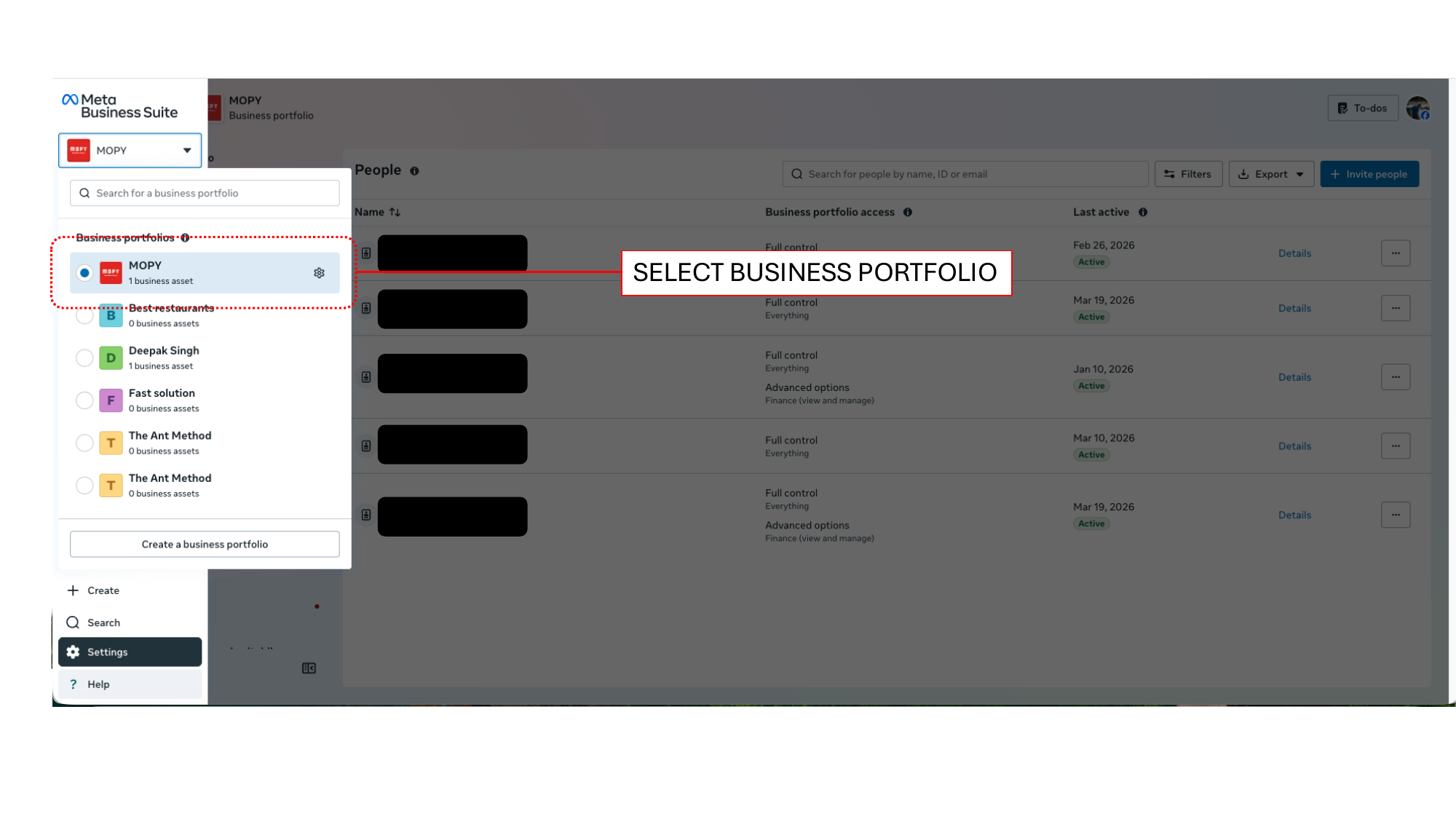
Select Your Business Portfolio
Open business.facebook.com and click the portfolio dropdown in the top-left corner. Choose the verified business portfolio where your WhatsApp number resides.
2
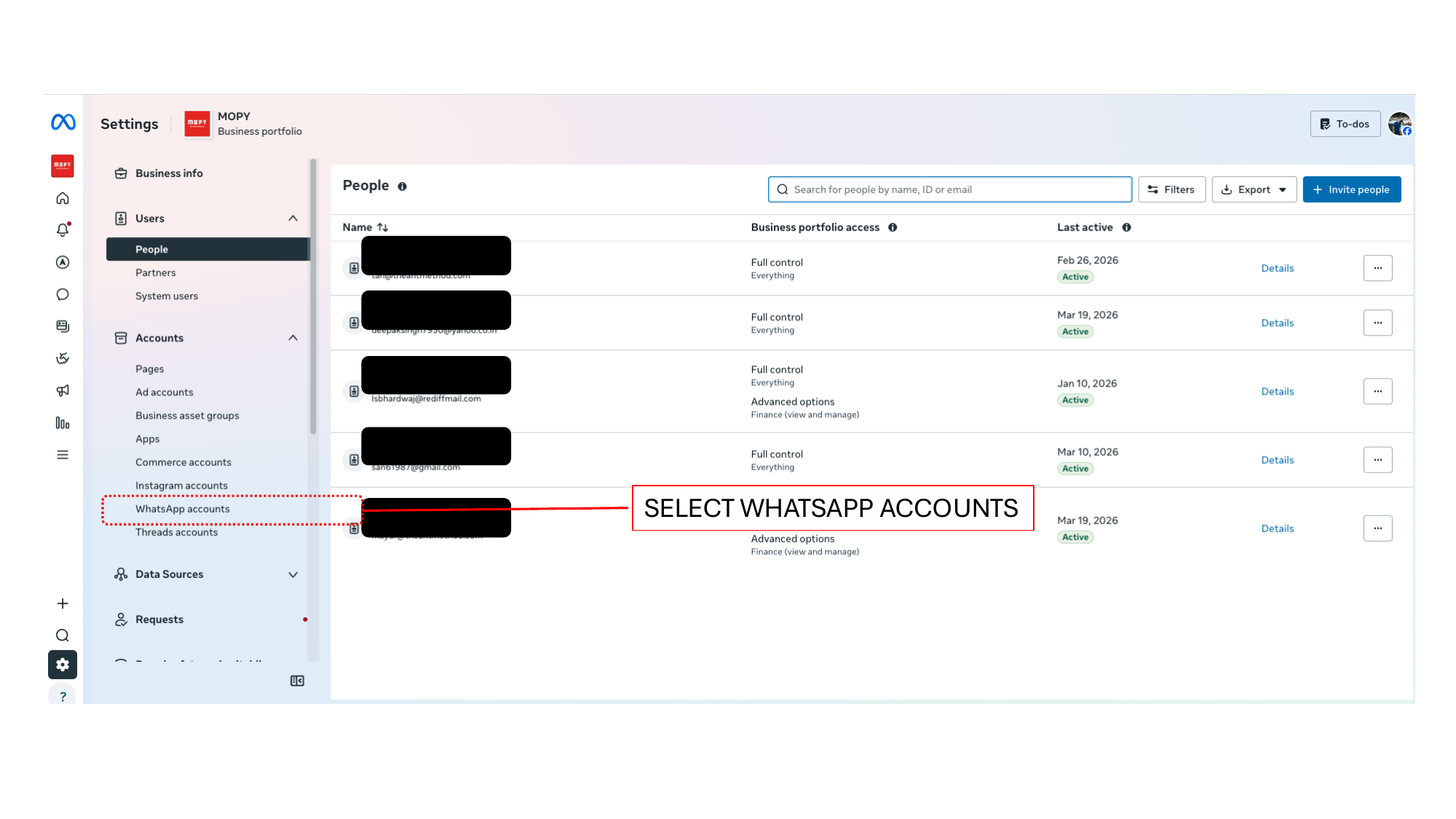
Navigate to WhatsApp Accounts
In the left sidebar, navigate to Settings > Accounts > WhatsApp Accounts. Select your active account.
3
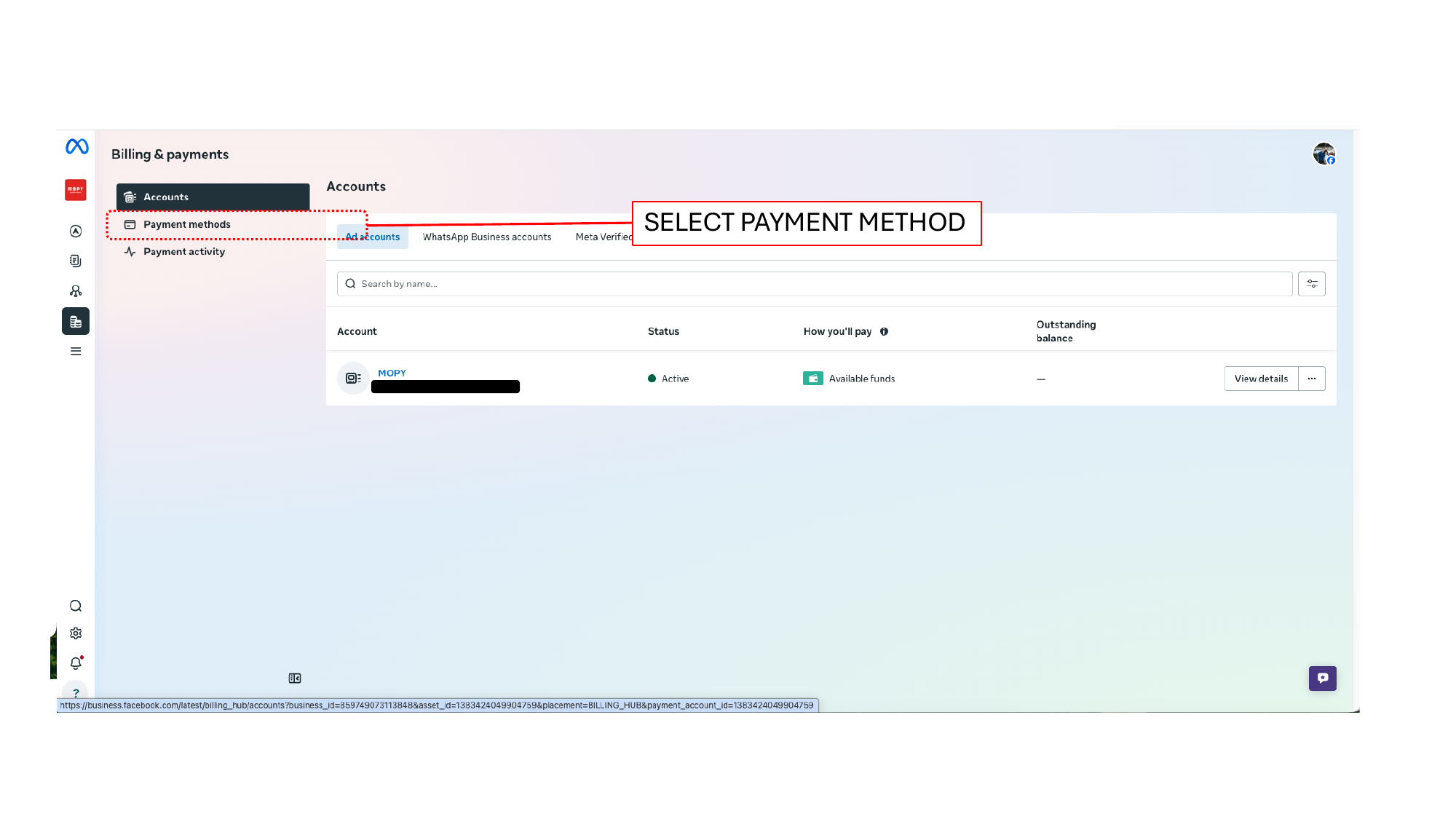
Access Billing & Payment Settings
Click the Billing & Payments icon and select the WhatsApp Business Accounts tab.
4
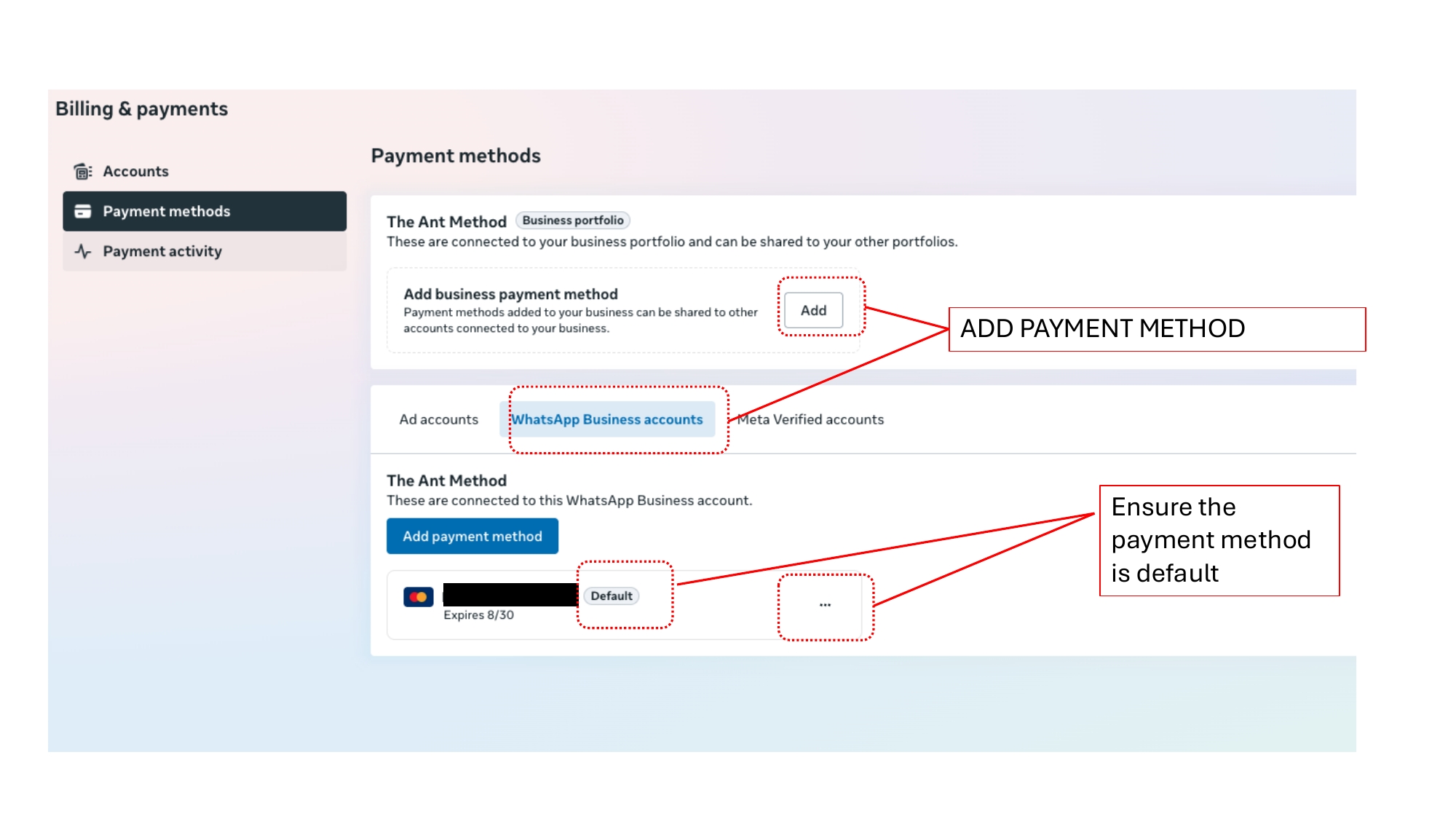
Add Your Card & Set as Default
Click Add Payment Method. Enter your credit/debit card details, complete 3D-secure bank verification, and ensure the card is set as the Default payment method.